Live Note

Remain optimistic

Classes

1
2
3
4
5
6
7
8
9
10
11
class Greeter {
greeting: string

constructor(message: string) {
this.greeting = message
}

greet(): string {
return "Hello, " + this.greeting
}
}

Private

1
2
3
4
5
6
7
8
9
10
11
12
13
14
15
16
17
18
19
class Animal {
constructor(private name: string) {}
}

class Horse extends Animal {
constructor() {
super("Horse")
}
}

class Human {
constructor(private name: string) {}
}

let animal = new Animal("Lucy")
let horse = new Horse()
let human = new Human("Jack")
animal = horse // success
animal = human // failed
Read more »

Time Picker Pnl in React Native

Why i write this component?
First, I found a lib called @react-native community/picker and wrote my code based on it. When I was done, it worked fine in ios, but when I turned on my android. Oh, my God, it’s not working. This component is platform based. It behaves differently on different platforms.

Then I found another library called react-native-picker, but it was too ugly and not customizable. My UI designer wouldn’t let me use this kind of thing, so I wrote my own component.

Note: This component is not perfect, but it works fine in my work. If you have any suggestion or issue, please let me know. You can build your own component based on this code.
If this code help you, please follow me on Github. XD(am greedy)

Requirements:

  • react-native-modal: pop up modal for time picker
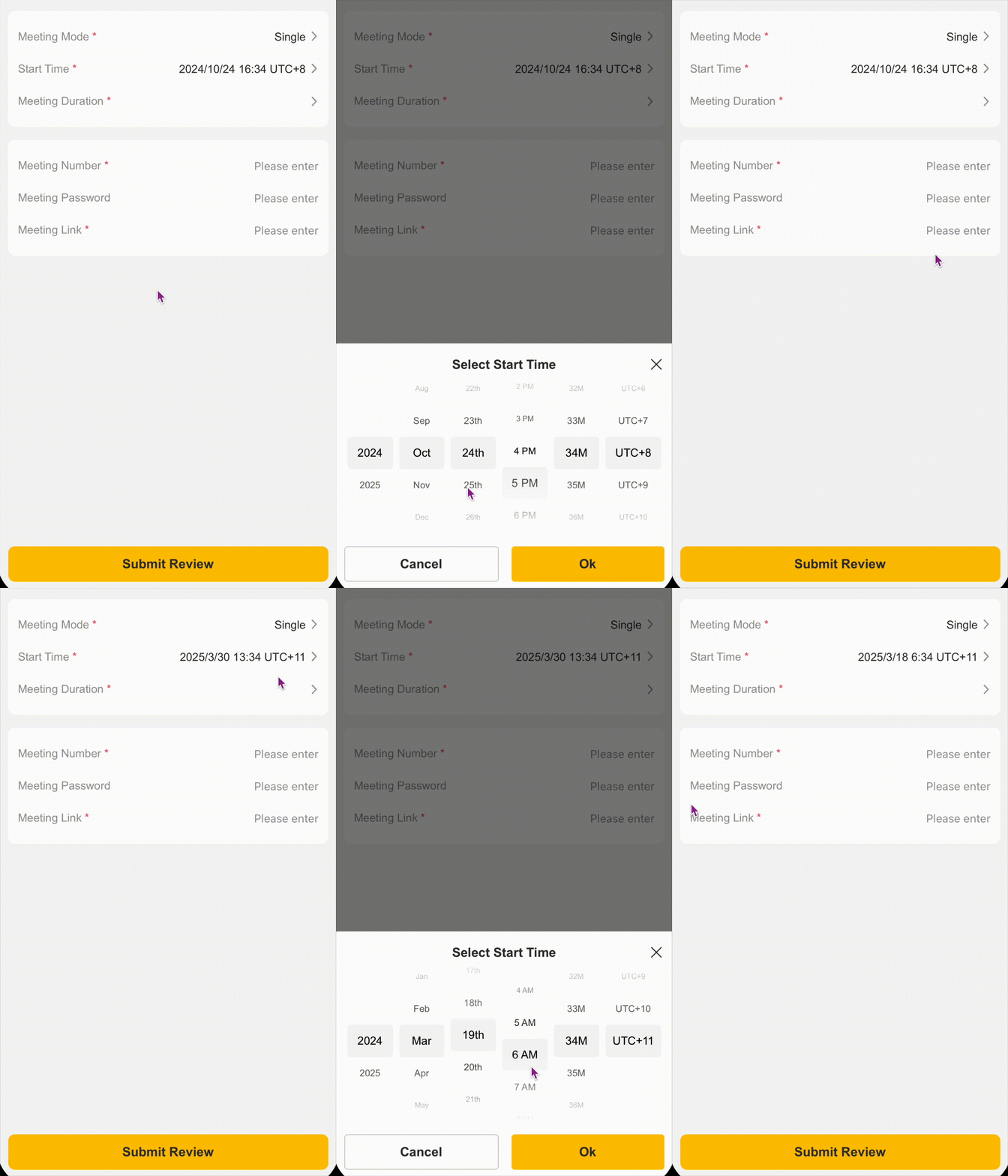
Time Picker Pnl

Read more »

Function Types

Typing the function

1
2
3
4
5
6
7
function foo(x: number, y: string): string {
return x + y
}

let fo = function (x: number, y: string): string {
return x + y
}

Writing the function type

1
2
3
4
5
6
let foo: (x: number, y: string) => string = function (
x: number,
y: string
): string {
return x + y
}

Inferring types

1
2
3
let foo: (x: number, y: string) => string = function (x, y) {
return x + y
}
Read more »

Interface

1
2
3
4
5
6
7
8
9
10
interface labelValue {
label: string
}

function printLabel(obj: labelValue): void {
console.log(obj.label)
}

let obj = { size: 10, label: "some text" }
printLabel(obj)

Optional Properties

1
2
3
4
5
6
7
8
9
10
11
12
13
14
interface SquareConfig {
color?: string
width?: number
}

function createSquare(config: SquareConfig): { color: string; area: number } {
let defaultSquare = { color: "White", area: 200 }
if (config.color) defaultSquare.color = config.color
if (config.width) defaultSquare.area = config.width ** 2

return defaultSquare
}

console.log(createSquare({ color: "Black", width: 30 }))

Readonly Properties

1
2
3
4
5
6
7
interface Point {
readonly x: number
readonly y: number
}

let readOnlyArray: ReadonlyArray<number> = [1, 2, 3, 4]
let a: number[] = readOnlyArray as number[] // readonly array assignment to ordinary array

Excess Property Checks

1
2
3
4
5
6
7
interface SquareConfig {
color?: string
width?: number
[propName: string]: any
}

let newSquare = createSquare({ width: 100, opacity: 0.5 } as SquareConfig)
Read more »

基本类型

  • boolean:
    1
    let done: boolean = true
  • number:
    1
    let count: number = 20
  • string:
    1
    let name = "Edward Wang"
  • array:
    1
    2
    let list1: number[] = [1, 2, 3]
    let list2: Array<number> = [1, 2, 3]
  • tuple:
    1
    let x: [string, number] = ["test", 2]
  • enum:
    1
    2
    3
    4
    5
    6
    7
    enum NUMBER {
    ONE,
    TWO,
    THREE,
    }
    let a = NUMBER.TWO
    let title: string = NUMBER[3]
Read more »